Your website may look professional, contain detailed information about your services, and have an attractive design. But if visitors are not contacting you, requesting quotes, booking appointments, or making enquiries, something may be missing.
A website should do more than simply establish your online presence. It should attract the right audience, build trust, communicate your value, and encourage visitors to take action.
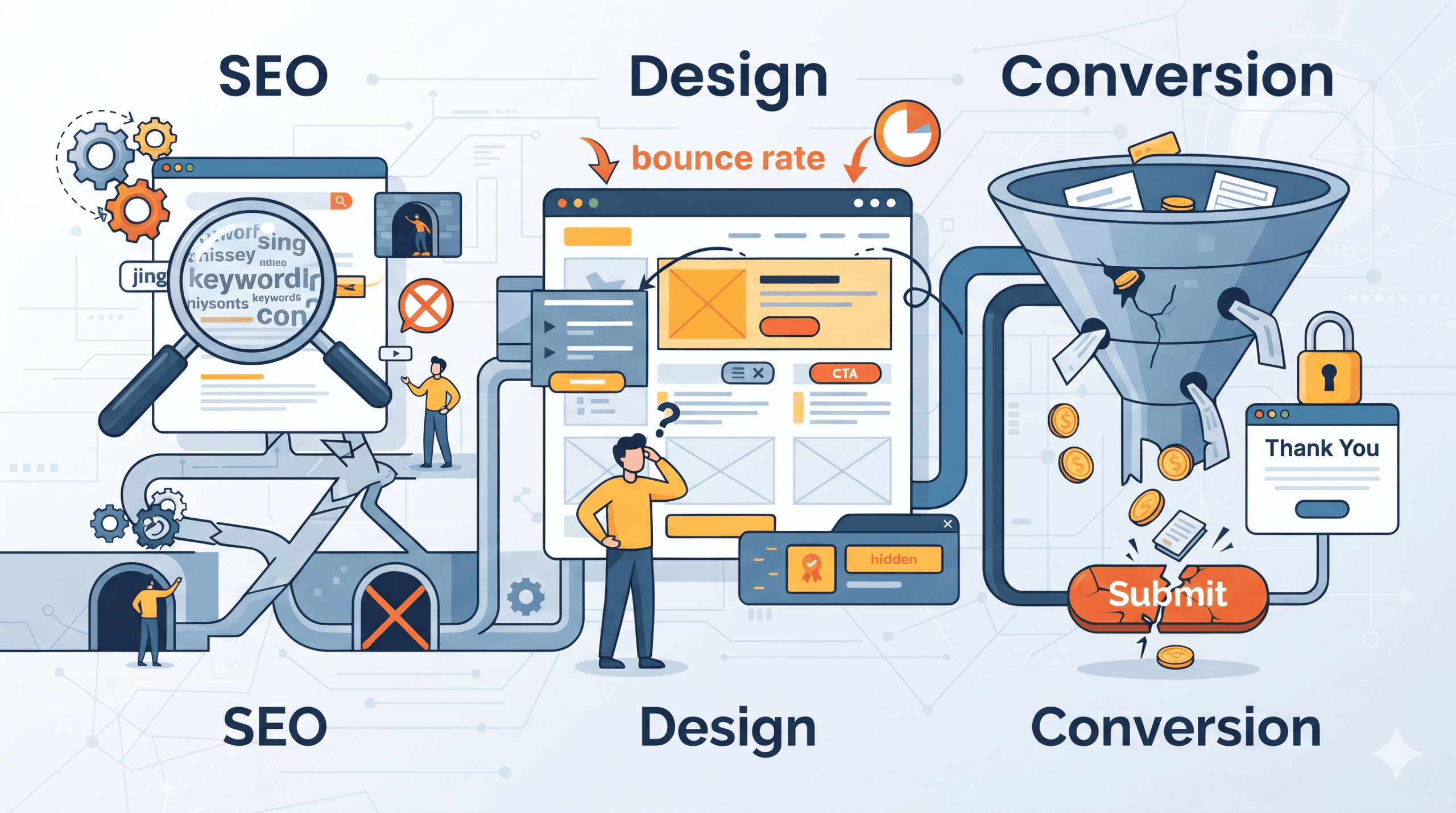
If your website is not generating leads, the problem may not be a lack of traffic alone. Issues such as slow loading speed, poor mobile experience, weak SEO, confusing navigation, unclear calls to action (CTAs), and ineffective service pages can prevent potential customers from becoming leads.
This is particularly important for small businesses, healthcare providers, print shops, and service-based businesses that depend on their websites to generate enquiries and attract new customers.
In this guide, we will explore 10 common website SEO, design, and conversion mistakes that may be affecting your lead generation, along with practical solutions to improve your website performance.
Why Is Your Website Not Generating Leads?
Your website may not generate leads because it fails to attract relevant visitors, provide a good user experience, establish credibility, or guide visitors towards a clear action.
Some of the most common reasons include:
- Slow website loading speed.
- Poor mobile responsiveness.
- Weak search engine optimization (SEO).
- Unclear calls to action.
- Poorly structured service pages.
- Missing customer reviews and trust signals.
- Complicated navigation.
- Lack of relevant and helpful content.
- Complicated contact or enquiry forms.
- No proper website performance tracking.
Even a few of these issues can reduce your website’s ability to convert visitors into potential customers. Let’s explore each mistake and understand how to fix it.
10 Common Website Mistakes That Prevent Lead Generation
1. Slow Website Loading Speed
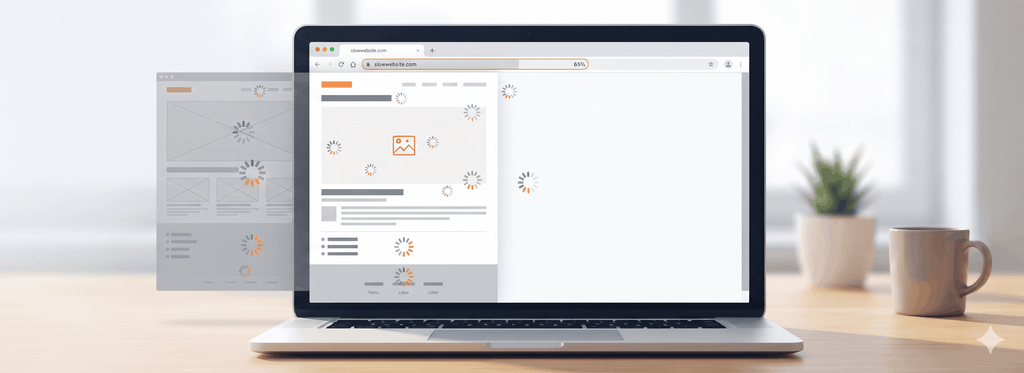
Website speed plays an important role in user experience and lead generation. When a website takes too long to load, visitors may leave before they even explore your products or services.
For example, someone searching for a dentist, printing company, or local service provider may quickly move to another website if your pages take too long to open.
Slow loading speeds can result from:
- Large, unoptimized images.
- Poor-quality web hosting.
- Excessive plugins and scripts.
- Unnecessary animations and design elements.
- Unoptimized CSS and JavaScript.
- Poor website caching and performance configuration.
How to fix it:
- Compress and optimize images without significantly reducing quality.
- Use reliable website hosting.
- Enable browser caching and appropriate page caching.
- Minimize unnecessary plugins and third-party scripts.
- Implement lazy loading for suitable images.
- Use Google PageSpeed Insights to identify performance issues.
A faster website makes it easier for visitors to explore your services and complete important actions.
2. Poor Mobile Experience and Non-Responsive Design
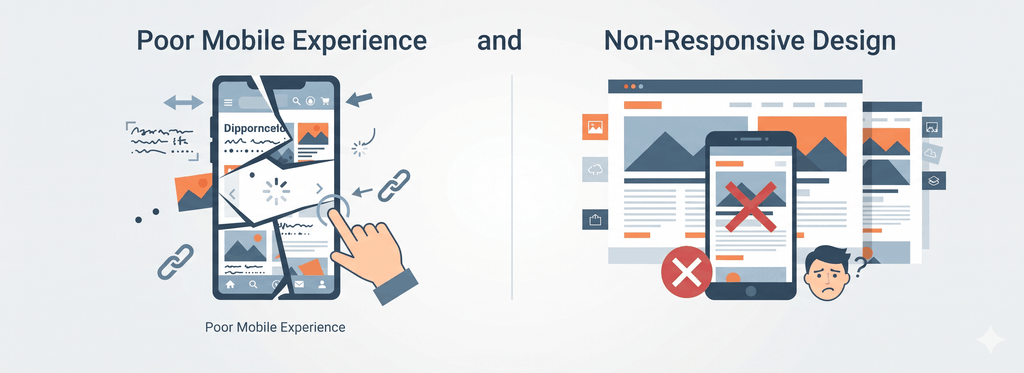
Many potential customers browse websites using smartphones. If your website does not work properly on smaller screens, you could lose valuable enquiries.
A website that looks attractive on a desktop computer may become difficult to use on mobile devices.
Common mobile usability problems include:
- Text that is too small to read.
- Buttons that are difficult to tap.
- Images that do not fit the screen.
- Menus that are difficult to navigate.
- Forms that are complicated to complete.
- Important information hidden below the fold.
How to fix it:
- Use a responsive website design that adjusts to different screen sizes.
- Make text readable without zooming.
- Keep buttons large enough for comfortable tapping.
- Simplify mobile navigation.
- Make phone numbers clickable.
- Keep contact forms short and mobile-friendly.
- Test your website on different devices and browsers.
For healthcare providers, print shops, and local service businesses, a mobile-friendly website can make it easier for customers to call, request a quotation, or book an appointment.
3. Weak SEO and Poor Search Engine Visibility
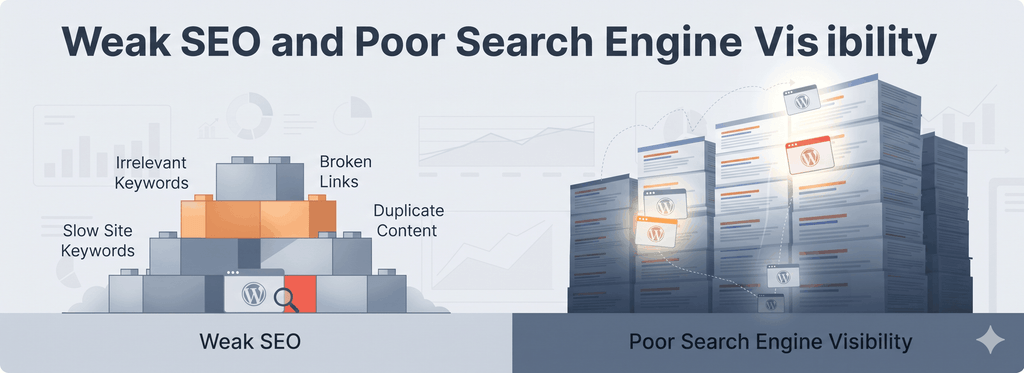
Your website may look great, but if potential customers cannot find it on Google, your lead generation opportunities may remain limited.
One of the most common website SEO mistakes is focusing only on design while ignoring search engine optimization.
For example, a printing business may offer business cards, stickers, banners, and promotional merchandise. However, if its website does not have properly optimized service pages, relevant content, and location-based keywords, it may struggle to reach people searching for those services.
Common SEO problems include:
- Targeting irrelevant or overly broad keywords.
- Missing or poorly written title tags and meta descriptions.
- Incorrect heading structures.
- Missing image alt text.
- Duplicate or thin website content.
- Poor internal linking.
- Missing local SEO optimization.
- Technical SEO issues affecting crawling and indexing.
How to fix it:
- Research keywords based on your customers’ search intent.
- Optimize every important service page around a relevant primary keyword.
- Write unique and descriptive title tags and meta descriptions.
- Use clear H1, H2, and H3 headings.
- Add relevant internal links between related pages.
- Optimize images and their descriptive alt text.
- Create helpful blog content that answers customer questions.
- Improve your Google Business Profile if you serve a specific geographic area.
- Monitor search performance through Google Search Console.
A well-planned small business website SEO strategy helps your website attract relevant visitors who are actively searching for your products or services.
4. Unclear Calls to Action (CTAs)
Imagine a visitor lands on your website, understands your services, and is interested in working with you. However, they cannot easily find out what to do next.
This is a missed lead generation opportunity.
A call to action tells visitors what step they should take after exploring your website.
Examples of effective CTAs include:
- Request a Free Quote.
- Book an Appointment.
- Get a Free Consultation.
- Contact Our Team.
- Request a Callback.
- Get Started Today.
Common CTA mistakes include:
- Using vague button text such as “Click Here.”
- Hiding contact buttons at the bottom of the page.
- Using buttons that blend into the background.
- Including too many competing CTAs.
- Not providing a clear next step.
How to fix it:
- Place a prominent CTA in the website header or hero section.
- Use action-oriented button text.
- Make important buttons visually noticeable.
- Add relevant CTAs throughout service pages.
- Match each CTA to the visitor’s intent.
- Make phone numbers and email addresses easy to access.
For example, a healthcare website should make appointment booking easy, while a printing business should prominently display a “Request a Printing Quote” button.
5. Weak or Incomplete Service Pages
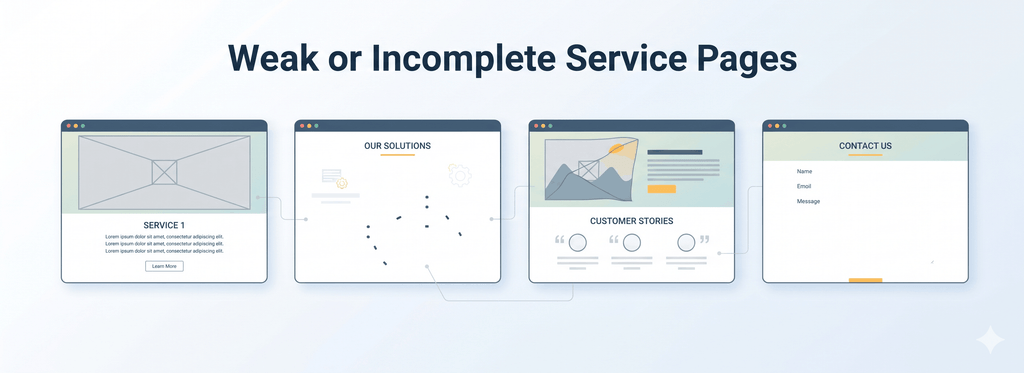
Your service pages are among the most important pages on your website because they explain what you offer and why customers should choose your business.
A common mistake is creating service pages with only a short description, a few images, and basic contact information.
This does not give visitors enough information to understand your services or make a confident decision.
For example, a print shop offering banner printing should explain available materials, sizes, customization options, common applications, and how customers can request a quote.
Similarly, a healthcare provider should clearly explain available treatments, services, appointment procedures, and relevant practitioner credentials.
How to fix it:
Create dedicated, informative service pages that include:
- A clear service description.
- Problems your service helps solve.
- Key features and benefits.
- Your process or approach.
- Relevant images and examples.
- Customer testimonials or case studies.
- Frequently asked questions.
- Clear contact and enquiry options.
Avoid creating generic service descriptions just to include keywords. Focus on answering the questions your potential customers actually have.
Well-structured service pages support both business website design and SEO, helping visitors understand your offerings while making it easier for search engines to interpret your content.
6. Missing Trust Signals and Social Proof

Before contacting a business, customers often want to know whether they can trust it.
If your website does not demonstrate credibility, visitors may hesitate to share their contact details or request your services.
This is especially important for healthcare providers, where professional credentials and patient confidence matter, and for service businesses where customers want evidence of reliable work.
Common missing trust signals include:
- No customer testimonials.
- No reviews or ratings.
- No portfolio or previous work examples.
- No team or business information.
- Missing contact details.
- No relevant qualifications or certifications.
- No clear explanation of experience.
How to fix it:
- Display genuine customer testimonials.
- Add relevant Google review links or review integrations.
- Showcase completed projects and case studies.
- Introduce your team and business background.
- Display relevant qualifications and certifications.
- Provide clear business contact information.
- Explain your process and customer support approach.
For example, a print shop can showcase completed printing projects, while a healthcare provider can introduce its qualified practitioners and explain its approach to patient care.
Remember to obtain appropriate permission before publishing customer testimonials, patient information, or project images.
7. Confusing Website Navigation and Poor User Experience
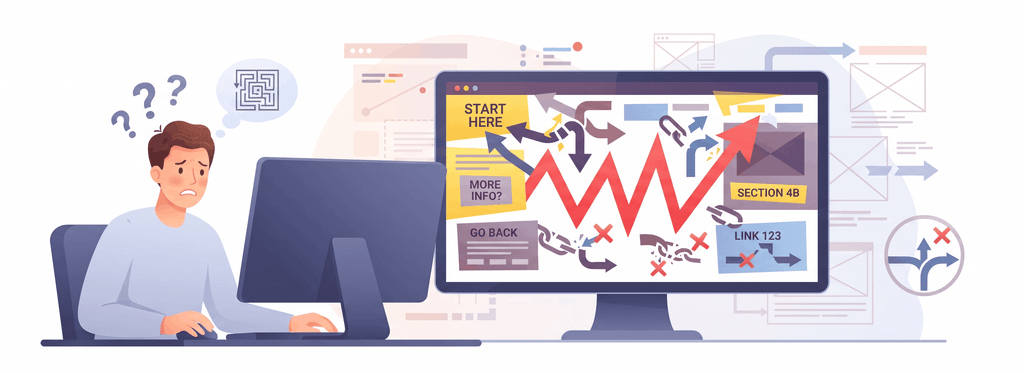
Website navigation should help visitors find the information they need without unnecessary effort.
If visitors cannot easily locate your services, pricing information, portfolio, or contact details, they may leave your website.
Common navigation mistakes include:
- Too many menu options.
- Unclear page names.
- Poorly organized service categories.
- Missing internal links.
- Important information hidden in multiple submenus.
- No clear route to the contact page.
How to fix it:
- Keep your main navigation simple.
- Organize services into logical categories.
- Use descriptive menu labels.
- Add clear links to important pages.
- Include a visible contact option.
- Use breadcrumbs where appropriate.
- Make navigation consistent across desktop and mobile devices.
Think from the visitor’s perspective: Can someone visiting your website for the first time find the service they need and contact you within a few clicks?
If not, your website navigation may need improvement.
8. Lack of Helpful and Relevant Website Content
Your website content should answer customer questions, explain your services, and help visitors make informed decisions.
Many businesses create websites with only basic company information and service descriptions. They rarely publish educational content that addresses customer concerns.
For example:
- A dentist can publish articles about preventive dental care and common dental treatments.
- A print shop can explain the differences between digital and offset printing.
- A real estate service provider can share property marketing and buying guides.
- A small business can publish helpful articles related to its products and services.
How to fix it:
Develop a content strategy that includes:
- Informative blog articles.
- Detailed service descriptions.
- Frequently asked questions.
- How-to guides and tutorials.
- Industry insights.
- Case studies and project examples.
- Educational resources.
Write content that addresses real customer questions rather than creating articles solely to insert keywords.
Helpful, original, and relevant content can support organic visibility, build credibility, and provide useful information for search engines and AI-powered search platforms.
9. Complicated Contact Forms and Enquiry Process

Your website may attract relevant visitors, but complicated contact forms can prevent them from completing an enquiry.
For example, asking a potential customer to provide too much information before they can request a quote may discourage them from continuing.
Common form-related problems include:
- Too many mandatory fields.
- Unnecessary personal information requests.
- Forms that do not work correctly on mobile.
- Unclear submission instructions.
- Missing confirmation messages.
- Technical errors or unreliable email delivery.
How to fix it:
- Ask only for information you genuinely need.
- Keep forms short and straightforward.
- Use clear field labels.
- Make required fields easy to identify.
- Add a clear submit button.
- Display a confirmation message after submission.
- Test form submissions regularly.
- Make sure enquiries reach the correct email address or CRM.
For a print shop, a quote request form might ask for the customer’s name, email, product type, quantity, and project requirements.
For a healthcare provider, an appointment enquiry form should collect only the information necessary for the booking process while respecting privacy requirements.
A simple enquiry process makes it easier for interested visitors to become potential customers.
10. Not Tracking Website Performance and Conversion Rates
One of the biggest mistakes businesses make is launching a website and assuming that everything is working properly without measuring its performance.
Without tracking, it is difficult to understand where visitors are coming from, which pages perform well, and why potential customers leave without enquiring.
Important website performance indicators include:
- Total website visitors.
- Organic search traffic.
- Traffic sources.
- Landing page performance.
- CTA button clicks.
- Contact form submissions.
- Phone call enquiries.
- Conversion rate.
How to fix it:
Use tools such as:
- Google Analytics 4 (GA4) to understand website traffic and user interactions.
- Google Search Console to monitor organic search visibility and search performance.
- Google Tag Manager to manage relevant tracking tags.
- Heatmap and session-recording tools to understand user behaviour, where appropriate and with suitable privacy controls.
Also, define what counts as a conversion for your business.
For example:
- A dentist may consider a completed appointment enquiry a conversion.
- A print shop may count a quotation request as a conversion.
- A service business may measure phone calls or consultation requests.
Regularly review your data to identify weak-performing pages and opportunities for improvement.
How Does Website Conversion Rate Optimization Help Generate More Leads?
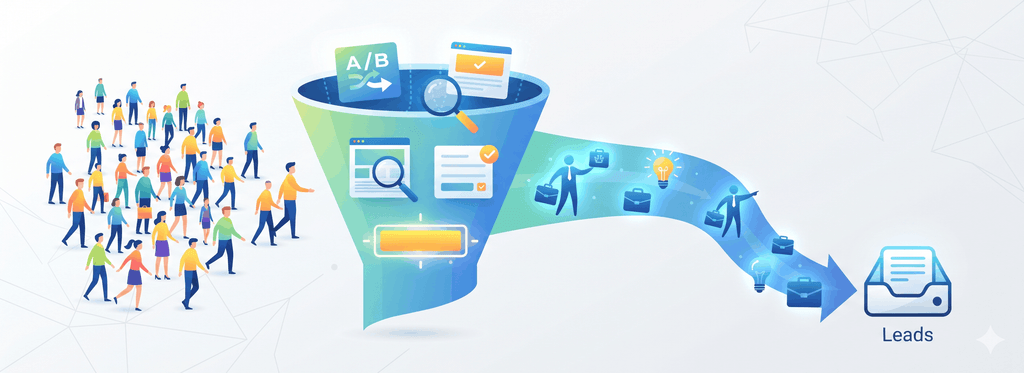
Website Conversion Rate Optimization (CRO) is the process of improving your website so that a higher percentage of visitors complete a desired action.
These actions might include submitting an enquiry form, booking an appointment, requesting a quotation, or calling your business.
A simple example:
Suppose your website receives 1,000 visitors per month and generates 20 enquiries.
Your conversion rate is:
Conversion Rate = (Number of Conversions ÷ Total Website Visitors) × 100
In this example:
(20 ÷ 1,000) × 100 = 2%
Now imagine improving your website’s service pages, CTAs, mobile experience, and enquiry forms increases the number of enquiries to 30 while traffic remains the same.
Your conversion rate becomes 3%.
This illustrates how website conversion rate optimization can help businesses generate more enquiries from existing traffic.
Some practical CRO strategies include:
- Improving headline clarity.
- Making CTAs more visible.
- Simplifying enquiry forms.
- Adding genuine customer reviews.
- Improving mobile usability.
- Testing different landing page layouts.
- Reviewing user behaviour.
- Removing unnecessary steps from the enquiry process.
The objective is not simply to increase website traffic. It is to make your existing traffic more valuable.
Website SEO and Design: Why Do They Need to Work Together?
SEO and website design should not be treated as separate activities.
SEO helps potential customers discover your website through search engines, while website design and user experience help visitors understand your offerings and take action.
A website may rank well on Google but generate very few enquiries if its service pages are confusing or its CTAs are difficult to find.
Similarly, an attractive website may receive very little organic traffic if it lacks proper SEO, relevant content, and technical optimization.
An effective business website should combine:
- Search-friendly website structure.
- Relevant and informative content.
- Fast loading speed.
- Responsive mobile design.
- Clear navigation.
- Strong service pages.
- Trust-building elements.
- Effective CTAs.
- Conversion tracking.
When these elements work together, your website has a stronger foundation for attracting relevant visitors and converting them into potential customers.
Website Lead Generation Checklist: What Should You Fix First?

Use this checklist to evaluate your current website and identify areas that need improvement.
- Does your website load quickly?
- Is it mobile-friendly and responsive?
- Are your important pages optimized for relevant keywords?
- Do your pages have clear title tags and meta descriptions?
- Are your service pages informative and complete?
- Can visitors easily understand what your business offers?
- Are your CTAs visible and action-oriented?
- Do you display genuine customer reviews or relevant trust signals?
- Is your website navigation simple?
- Are your enquiry forms easy to complete?
- Are website conversions being tracked?
- Do you regularly update your content and review website performance?
If you answered “No” to several of these questions, your website may have opportunities for improvement.
How Can RT Technolab Help Improve Your Website’s Lead Generation?
Your website should be more than an online brochure. It should support your business growth by attracting relevant visitors, communicating your services effectively, and generating meaningful enquiries.
At RT Technolab, we understand that every business has different website and digital marketing requirements.
Whether you operate a small business, healthcare practice, printing company, or service-based organization, improving your website requires a combination of effective design, SEO, content, and conversion optimization.
Our digital solutions can help businesses focus on:
- Website Design and Development: Building professional, responsive, and user-friendly business websites.
- Search Engine Optimization (SEO): Improving website structure, content, technical SEO, and organic search visibility.
- Website Content Optimization: Creating informative and search-friendly website content that addresses customer needs.
- Conversion Optimization: Improving service pages, CTAs, forms, and user journeys to support lead generation.
- Digital Marketing: Developing strategies to attract relevant audiences and strengthen your online presence.
If your website is attracting visitors but not generating enough enquiries, it may be time to evaluate its SEO, design, and conversion performance.
Contact RT Technolab to discuss how we can help improve your website and build a stronger digital presence. Visit: https://www.rttechnolab.com/
Final Thoughts
If your website is not generating leads, increasing traffic alone may not solve the problem.
The real issue could be slow loading speed, poor mobile experience, weak SEO, unclear CTAs, incomplete service pages, missing trust signals, or a complicated enquiry process.
The key is to identify the problems, understand how they affect visitors, and make improvements based on real user behaviour and performance data.
A successful business website combines SEO, professional design, useful content, and website conversion optimization to create a better experience for potential customers.
With the right strategy and ongoing improvements, your website can become a more effective tool for attracting relevant visitors and generating business enquiries.
Need help improving your website’s SEO, design, or lead generation? Get in touch with RT Technolab and take the next step towards building a stronger online presence.